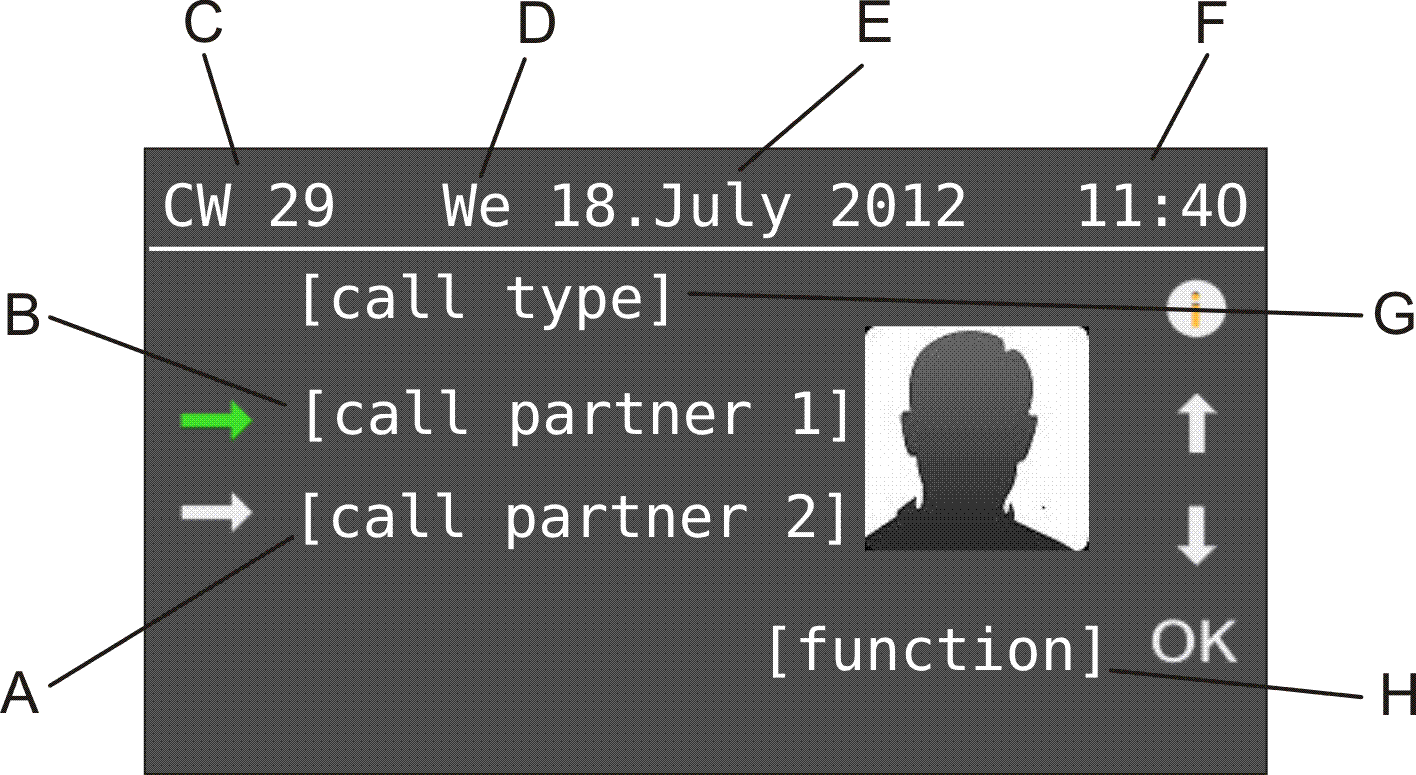
|
D
|
|
E
|
|
F
|
 during splitting to select the active communication partner. The other communication partner who had been active up until now is put on hold in the backgrounds listening to hold music.
 during a conference call only activates the communication partner in relation to carrying out the next function. The status of the call does not change at first.
Your system telephone shows possible functions during a query call in the lower line on the display.
 and
and  to scroll through the various options.
Tap on OK to initiate the function currently displayed.
 to access additional information about the call.
Tap on OK to go back to the previous view.