|
B
|
|
J
|
|
L
|
|
M
|
|
N
|
|
P
|
|
B
|
|
H
|
|
J
|
|
K
|
|
L
|
|
N
|
|
B
|
|
K
|
|
M
|
|
N
|
|
O
|
|
Q
|
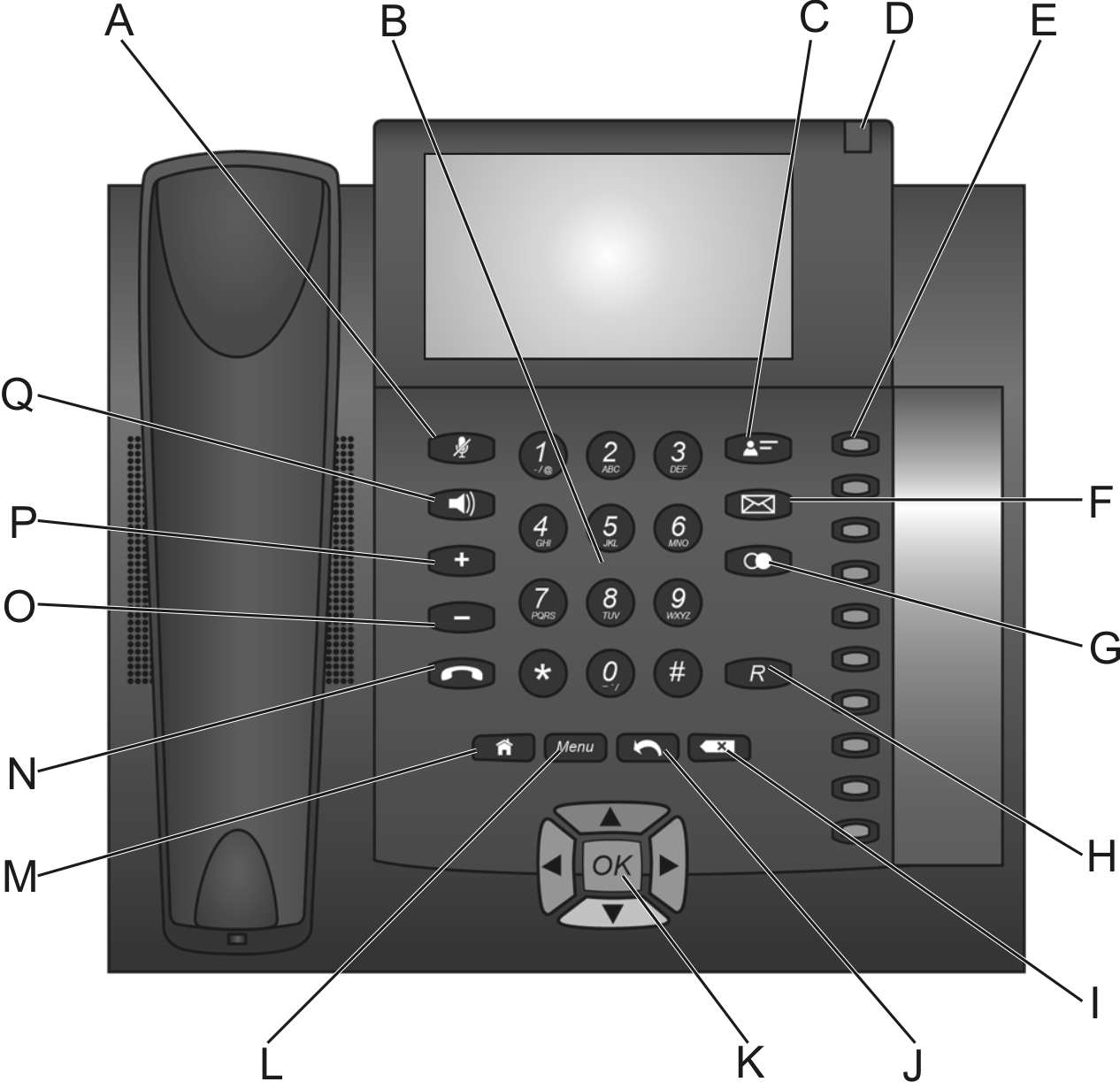
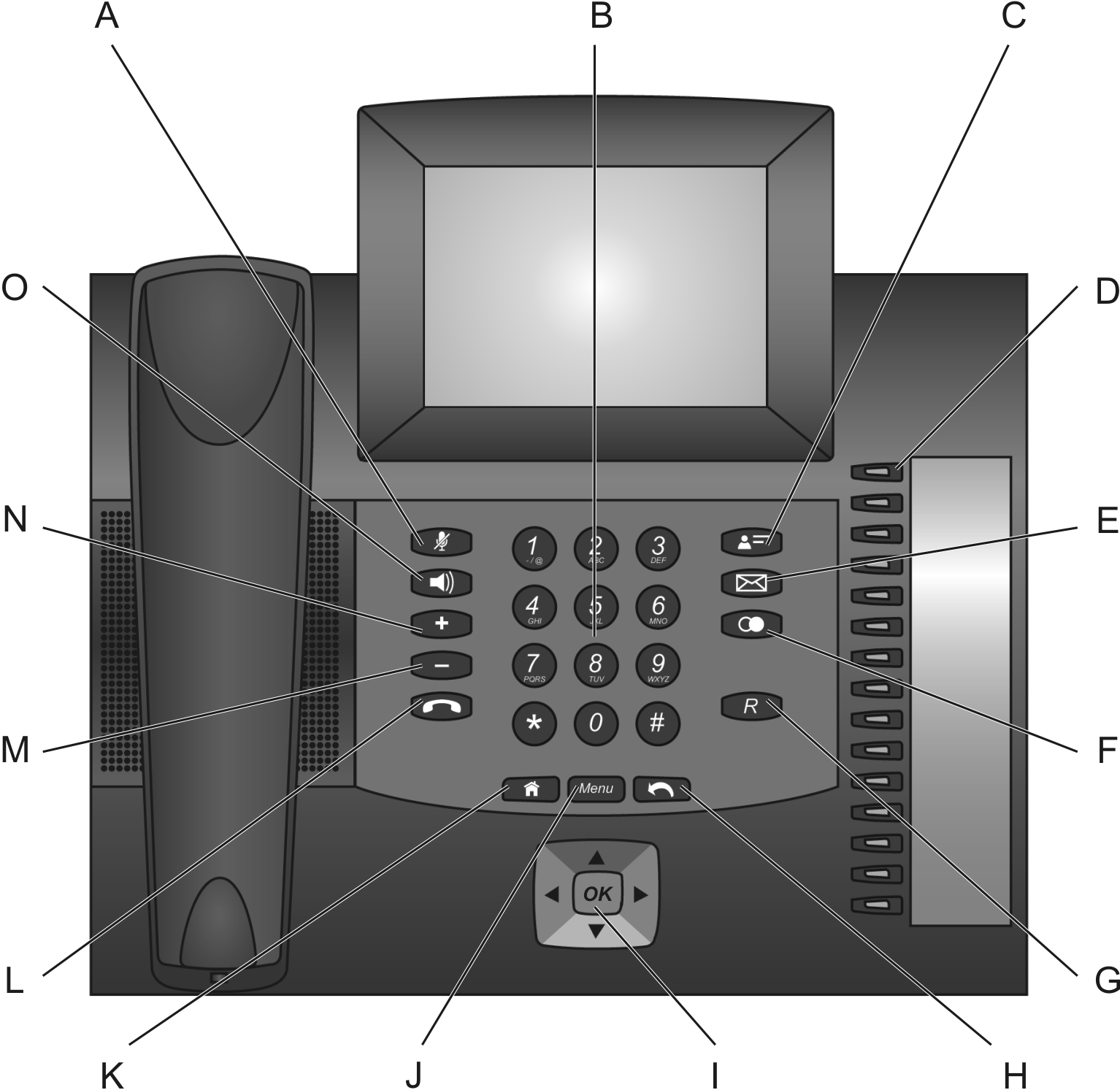
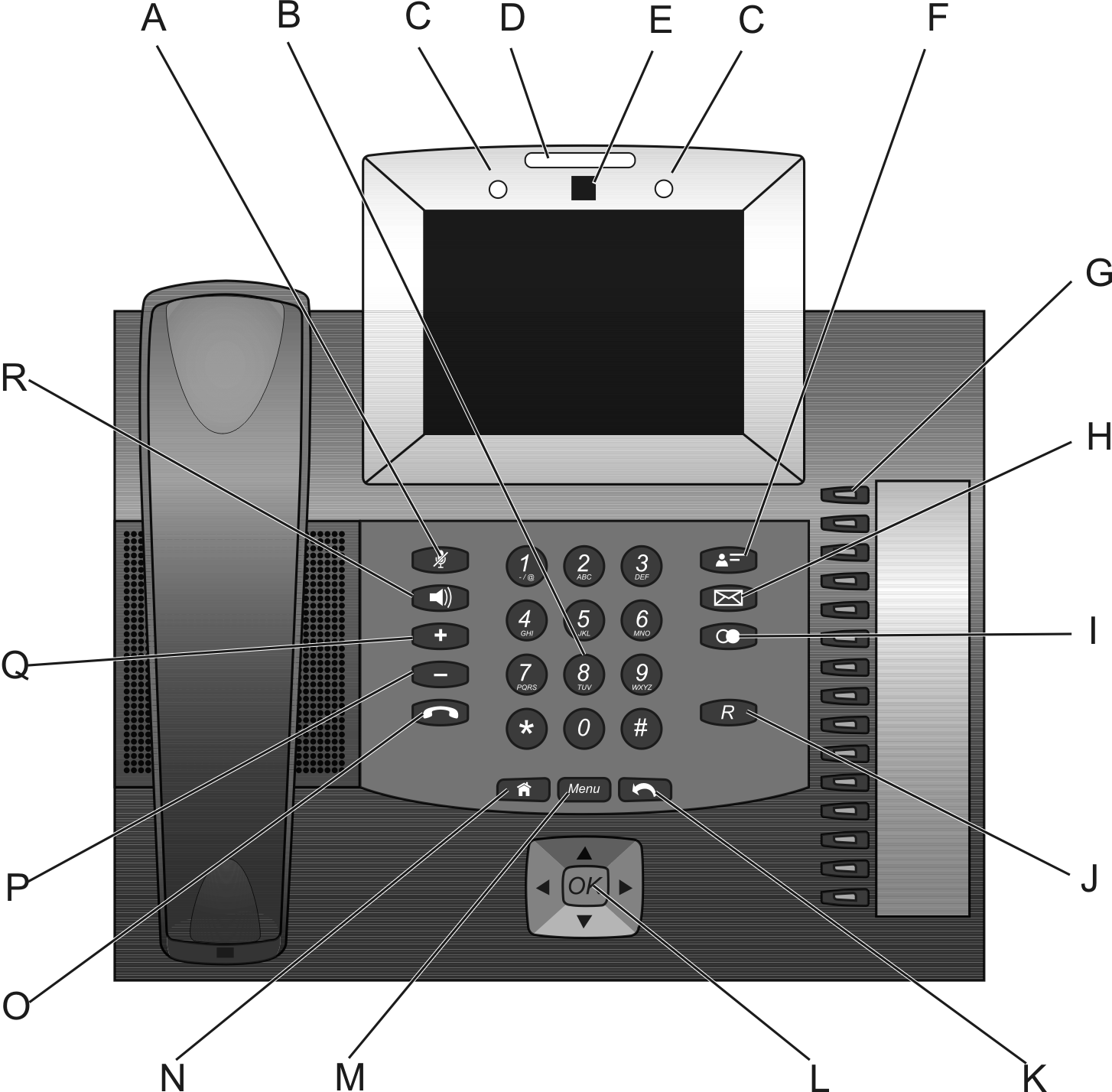
 Microphone key with LED
 Loudspeaker key with LED
 Plus key
 Minus key
 hook key
 Contact/telephone book key
 Message key with LED
 redial list key
 query key
Note: In addition to the programmable function keys with LEDs on the right of the device, you can use widget functions to create up to 10 touch function keys on the home screens and the favourites bars.
The menu can be accessed via the  Menu key.
Menu key. Press the menu key and tap on Settings to open a selection list in which you can make different system settings.
Select the app by pressing the menu key and tapping on Manage Apps. You will have access to information and be able to manage the app:
|
•
|
|
•
|
By pressing the menu key and tapping on Wallpaper, you can select the desired wallpaper for the home screens from the gallery, the live wall papers or the wallpapers.
 Home key
 |
•
|
 Back key
  Delete key
Press an arrow key on the directional pad to start key-based operation of the display and to enable the elements. Press the OK key on the directional pad to select the enabled element and run its function.
|
•
|
light blue: An element is displayed with light blue border if it was selected using the direction keys.
|
|
•
|
grey: The selected element is locked and cannot be selected by pressing the OK key.
|
|
•
|
Using the Configuration Manager (page Settings > Device > Display)
|
|
•
|
Using the telephone (page
 > Settings > Device > Display) > Settings > Device > Display) |